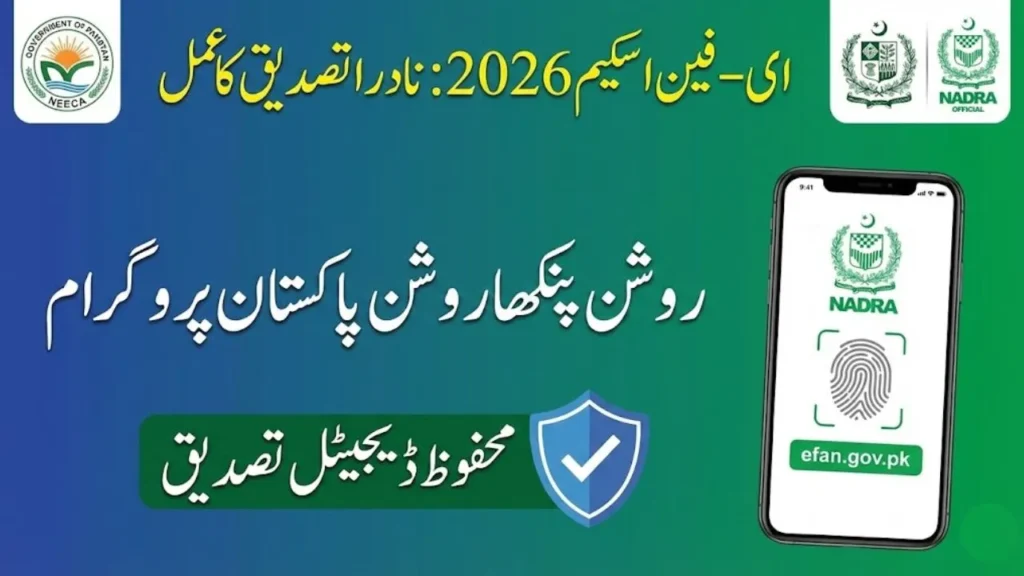
The E-Fan Scheme (Prime Minister’s Fan Replacement Program or Roshan Pankha Roshan Pakistan), launched in February 2026, relies on a seamless NADRA verification step to ensure applications are legitimate, secure, and linked to real Pakistani citizens. This process prevents fraud, confirms your identity, and ties your application to your electricity bill details.
The verification happens automatically and digitally during registration on the official portal efan.gov.pk or the NEECA E-Fan mobile app—no separate visit to NADRA offices or manual submission is required. It’s integrated with government databases for instant checks.
Why NADRA Verification Matters in the E-Fan Scheme
- Confirms you hold a valid CNIC issued by NADRA (a core eligibility requirement).
- Links your identity to your registered mobile SIM (via OTP) and electricity consumer details.
- Ensures the applicant is the bill owner or authorized household member.
- Supports fraud prevention in the low-interest financing model (backed by banks and government guarantees).
Without successful NADRA-linked verification, your application won’t proceed to eligibility check or fan selection.
How the NADRA Verification Process Works (Step-by-Step)
The process is fully automated and takes seconds during registration:
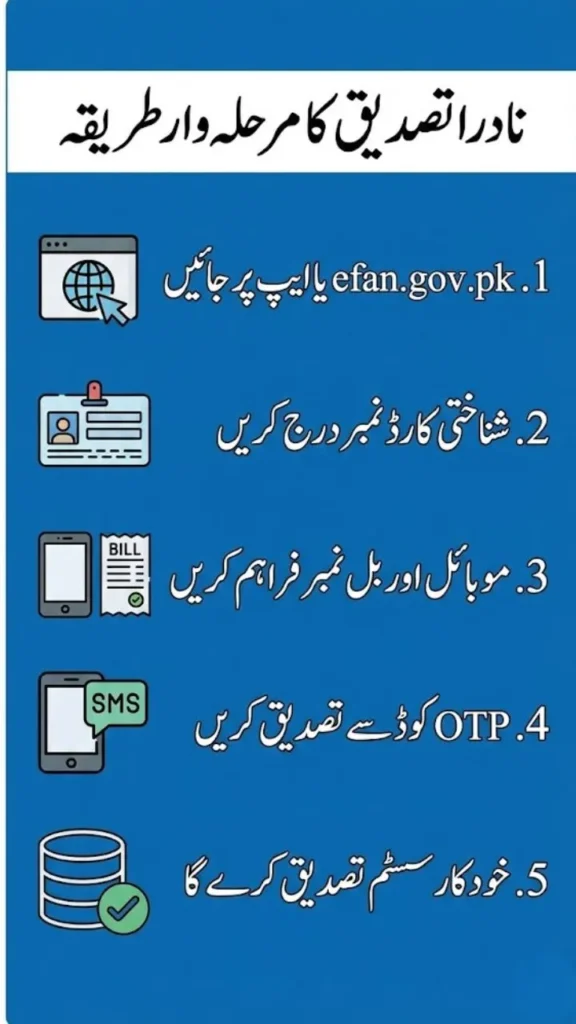
- Start Registration on the Official Platform Visit efan.gov.pk or open the NEECA E-Fan App (available on Google Play or Apple App Store). Click Sign Up / Register.
- Enter Your CNIC Number Input your 13-digit CNIC number (without dashes, e.g., 3520212345678). This is the primary trigger for NADRA verification.
- Provide Supporting Details Enter your electricity consumer reference number (from your latest bill) and registered mobile number. The system cross-checks:
- CNIC validity and status via NADRA’s database.
- Whether the mobile number is Biometrically registered against your CNIC (a standard NADRA requirement for OTP-based services).
- OTP Verification (NADRA-Linked Mobile Check) An OTP is sent to your mobile number. Enter the OTP to confirm the SIM is linked to your CNIC. This step verifies:
- Your phone is CNIC-registered (prevents fake applications).
- Real-time identity match through NADRA’s secure APIs.
- Automatic Backend Verification The portal instantly queries NADRA’s systems (via secure government integration) to:
- Confirm your CNIC is valid, active, and not expired.
- Match your identity with electricity bill records (bill must be in your name or linked).
- Pull basic details like name and address for auto-filling. If everything matches, verification succeeds → proceed to eligibility (payment history, etc.) and financing limit display.
- What Happens Next
- Success: You’re redirected to select fans, review terms, and submit.
- Failure: The system shows an error message (e.g., “Invalid CNIC,” “SIM not registered to CNIC,” or “CNIC mismatch”). Fix the issue (e.g., update SIM at a franchise) and retry.
Time Required: Usually under 1 minute for this step. No physical biometrics or photos needed here—it’s all digital.
Common NADRA Verification Issues & Fixes (Especially for Lahore Residents)
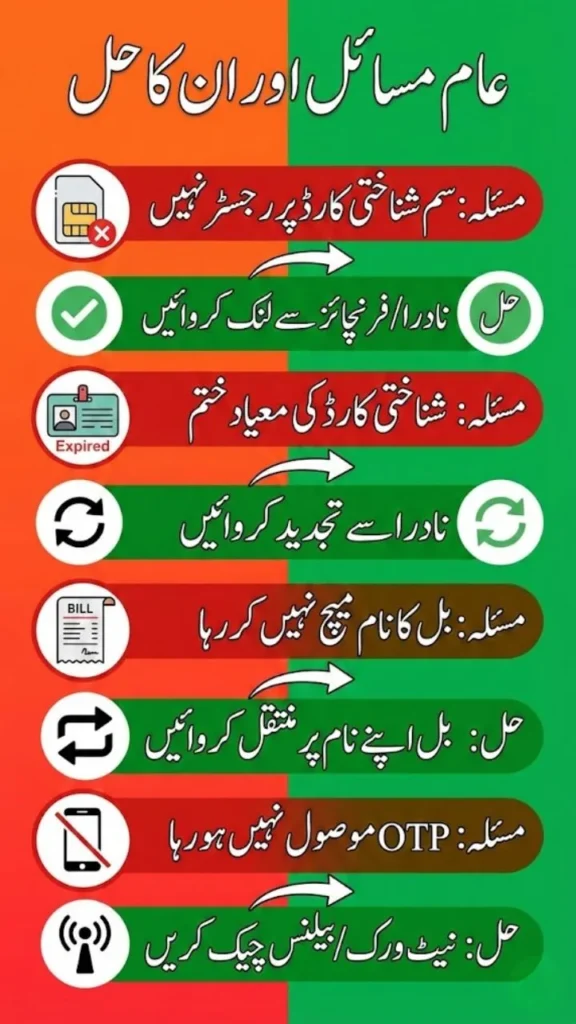
- “SIM not registered to CNIC”: Your mobile number isn’t biometrically linked. Visit a NADRA e-Sahulat franchise or Mega Center in Lahore (e.g., Model Town, Johar Town branches) to register/update your SIM against CNIC. It’s free/quick.
- “Invalid/Expired CNIC”: Renew your CNIC at NADRA if needed (apply online via pakidentity.nadra.gov.pk first).
- Mismatch with Bill: Ensure the bill is in the CNIC holder’s name. If family-owned, get it transferred.
- No OTP Received: Check balance/network; ensure SIM is active and CNIC-linked.
- High demand in Punjab (LESCO area) may cause minor delays—try during off-peak hours.
Tips for Smooth NADRA Verification
- Use your own CNIC and personal mobile (not shared/family).
- Double-check CNIC entry—no spaces or dashes.
- Keep your latest electricity bill handy for reference number.
- If issues persist, check NEECA’s official channels (neeca.gov.pk, Facebook/YouTube) for troubleshooting videos or contact support via the portal.
This NADRA-integrated process makes the E-Fan Scheme secure and accessible—thousands in Lahore and across Pakistan have already verified successfully since the February 2026 launch.
Head to efan.gov.pk now – Enter your CNIC, verify, and start saving on bills with energy-efficient fans! 💡